godot-gdscript-3D-compass (gold edition)
A customizable 3D compass HUD for survival and exploration games built in Godot 4.5.
Features:
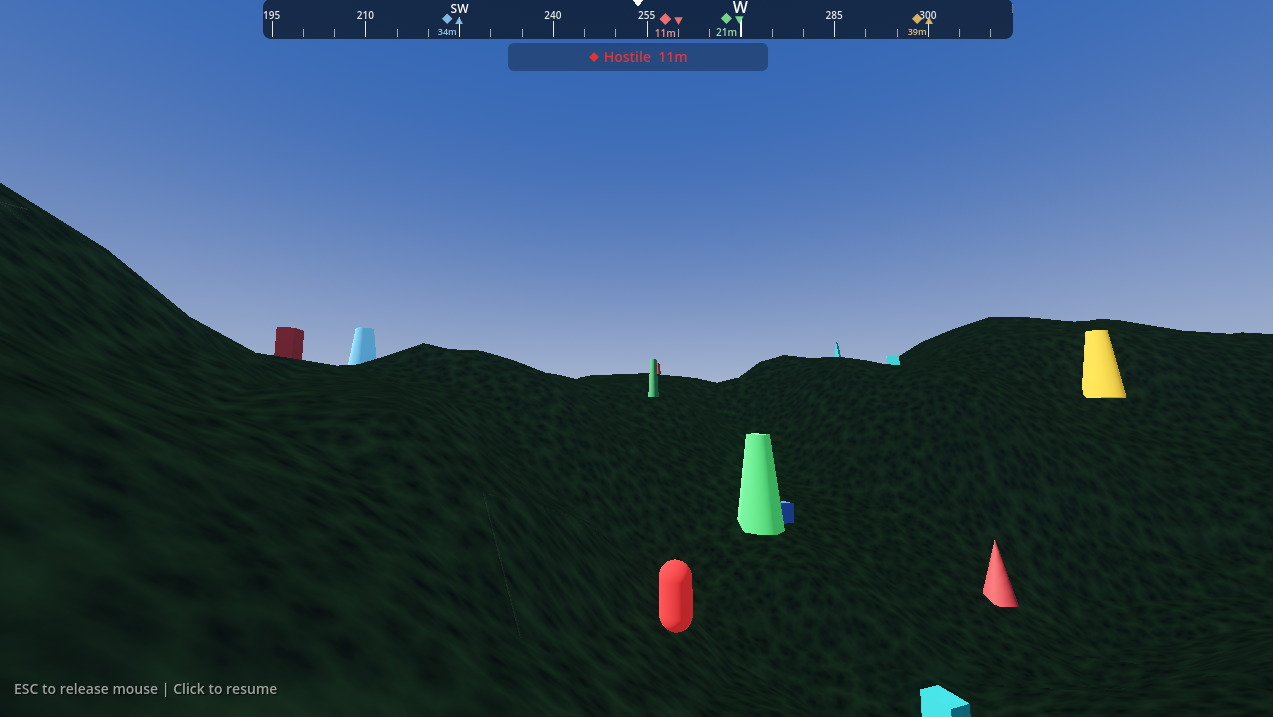
- Compass Bar UI - Displays at top of screen with smooth scrolling
- Cardinal Directions - N, NE, E, SE, S, SW, W, NW
- Tick Marks - Minor (5°), major (15°), and cardinal markers
- Degree Display - Current heading shown (0-360°)
- FPS Controller - Included player with WASD + mouse look
- Clean Code - Well-documented and easy to customize
- Compass supports 'Points of Interest' (POI)
- Compass shows range to POI
- Range label, rounded corners, scaling indicators based on distance.
- POIs can be easily added in a number of ways. Example source randomly adds them to the scene.
- Additional Gold Features:
- Added terrain elevation & textures
- Added elevation indicators to compass so you can see if you're below or above a POI
- Added roaming enemy unit to show dynamic compass updates
Runtime Notes:
- The enemy NPC can get stuck in the terrain and I'm sure there are other places where the NPC or the player might get stuck, fall through or off. Just restart the demo if this happens.
Controls
| Input | Action |
|---|---|
| W/A/S/D | Move |
| Mouse | Look around |
| Shift | Sprint |
| Escape | Toggle mouse capture |
Quick Start
- Open project in Godot 4.5+
- Run the main scene
- Move around and watch the compass update!
Integration Guide
Using the Compass in Your Project
- Copy these files to your project:
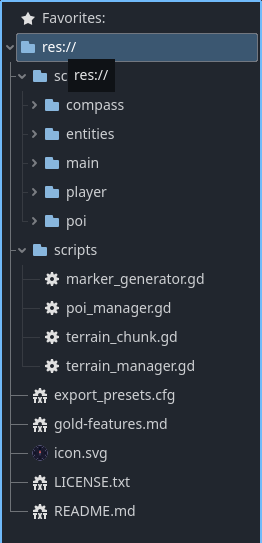
scenes/ui/compass.tscnscripts/compass.gd
- Instance the compass in your UI:
var compass = preload("res://scenes/ui/compass.tscn").instantiate() $CanvasLayer.add_child(compass)
- Update the compass with your player's heading:
 # In your player script func _physics_process(delta):
var heading = fmod(rad_to_deg(-rotation.y) + 360.0, 360.0)
compass.set_heading(heading)
Customization
- Edit
scripts/compass.gdconstants to customize appearance:
Add new POI using the Manager (automatic spawning):
Edit scripts/poi_manager.gd - just add to the POI_CONFIGS array:
Note: The example code currently adds POIs at random
  const POI_CONFIGS := [
  { "name": "Watchtower", "type": 0, "color": Color(0.9, 0.7, 0.2) },
  { "name": "Dark Cave", "type": 1, "color": Color(0.5, 0.4, 0.6) },
  { "name": "Dragon Lair", "type": 1, "color": Color(0.9, 0.2, 0.2) },
  # Add more here...
]
Add new POI manually in editor (instanced)
- Instance scenes/poi/poi.tscn anywhere in your scene
- Set properties in Inspector: poi_name, poi_type, marker_color
- Register it with compass: %Compass.register_poi(your_poi_node)
Add new POI via code at runtime:
var poi = preload("res://scenes/poi/poi.tscn").instantiate()
poi.poi_name = "Secret Chest"
poi.poi_type = POI.Type.LANDMARK
poi.marker_color = Color.GOLD
poi.position = Vector3(50, 0, 30)
add_child(poi)
%Compass.register_poi(poi)
Example Options:
const COMPASS_HEIGHT := 40.0  # Bar height in pixels
const TICK_MINOR_HEIGHT := 8.0  # Small tick marks
const TICK_MAJOR_HEIGHT := 16.0  # 15° tick marks
const TICK_CARDINAL_HEIGHT := 20.0  # N/E/S/W tick marks
const BG_COLOR := Color(0.0, 0.0, 0.0, 0.6)
const TICK_COLOR := Color(1.0, 1.0, 1.0, 0.6)
const TEXT_COLOR := Color(1.0, 1.0, 1.0, 1.0)
Additional Options
Fine tune your needs between Bronze, Silver and Gold tiers. Just a fancy way to say I've provided a few different options.
- Bronze Tier - Includes the base directional compass
- Silver Tier - Includes bronze tier features, Adds 'Points of Interest', Distance Tracking, POI label, icons and some other visual enhancements (rounded corners, scaling based on distance)
- Gold Tier - Includes bronze & silver tier features. Adds elevated terrain, elevation indicators, and roaming enemy units
- You Are Here!
License
- MIT License - Use freely in commercial and non-commercial projects.
Support
- Questions? Issues? Use the Poplava discord.
Purchase
In order to download this asset pack you must purchase it at or above the minimum price of $6 USD. You will get access to the following files:
Leave a comment
Log in with itch.io to leave a comment.